
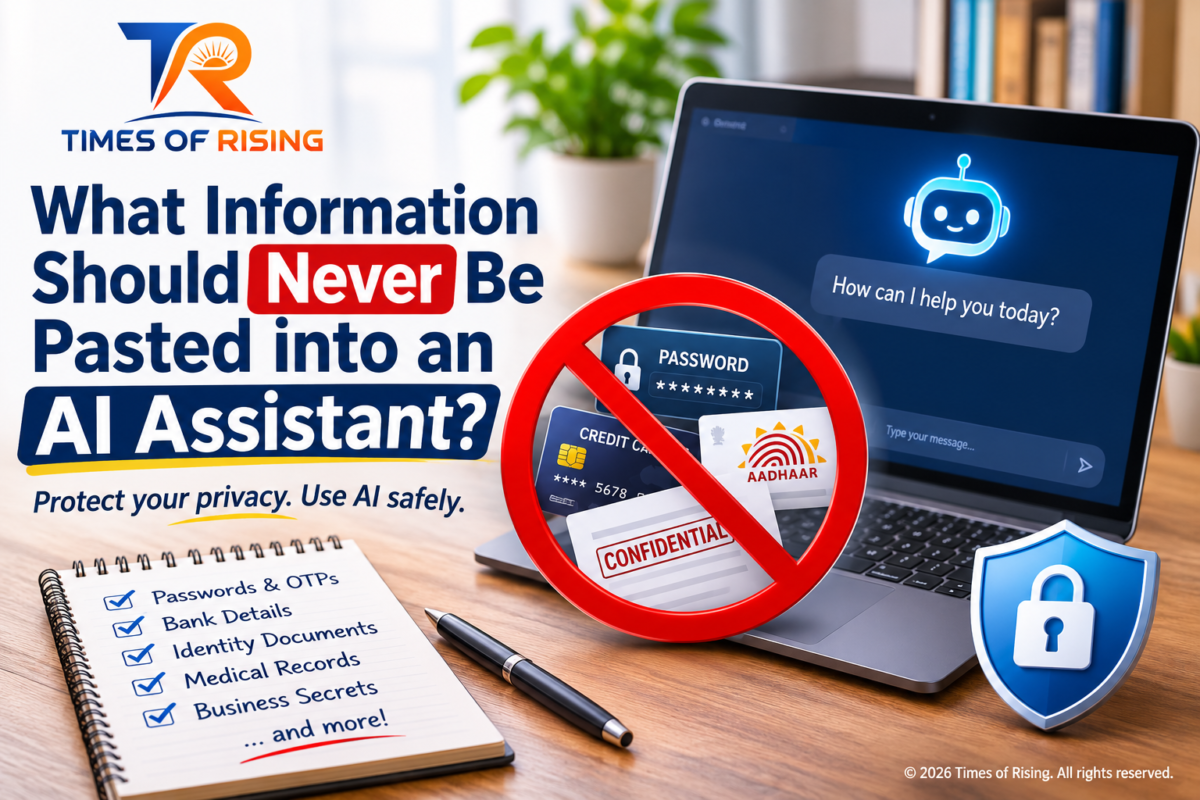
What Information Should Never Be Pasted into an AI Assistant?
Passwords, financial details, personal records, business secrets and other sensitive information can create privacy and security risks when shared with AI tools. This practical guide explains what to keep out of AI conversations, how to use AI more safely, and what to do if you have already shared something sensitive.
Introduction
AI assistants have become useful everyday tools. People use them to write emails, summarise documents, analyse spreadsheets, understand technical problems, prepare presentations and organise their work.
But there is an important habit many users overlook: checking what information they are about to paste into an AI assistant.
A prompt may look harmless while containing information that should remain private. A copied email might include a customer’s phone number. A screenshot might reveal an account number. A document might contain confidential comments or hidden spreadsheet columns. A code snippet might expose an API key.
The concern is not limited to whether an AI assistant is trustworthy. The way a service collects, stores, processes and uses information depends on its provider, product, settings, account type and applicable terms.
Even when a provider offers strong privacy protections, sharing unnecessary sensitive information increases exposure without necessarily improving the answer.
This guide explains what you should never paste into an AI assistant, what information requires extra caution, and how to prepare information before using AI.
1. Passwords, PINs and One-Time Passwords
Never paste passwords, PINs, one-time passwords (OTPs), recovery codes or other authentication secrets into an AI assistant.
These details protect access to important accounts, including:
- Email and social media accounts
- Banking and payment services
- Business software
- Cloud storage
- Website administration panels
- Government portals
- Work-related systems
An AI assistant does not need your actual password to explain how to create a stronger one or troubleshoot a login problem.
Unsafe example:
“Here is my email password. Please help me log in.”
Safer alternative:
“I am having trouble signing in to my email account. What general troubleshooting steps should I follow?”
If you need help understanding a password policy, share the policy requirements rather than your password.
Also keep these details private:
- Password reset links
- Account recovery codes
- Authentication app backup codes
- Security question answers
- Session cookies
- Login tokens
Treat these details as keys to your accounts. Do not share them in ordinary AI conversations.
2. Bank Account and Payment Information
Financial information should not be pasted into a general-purpose AI assistant unless you are using an appropriately approved service and have a clear reason to share it.
Sensitive financial details include:
- Full bank account numbers
- Debit and credit card numbers
- Card security codes
- Internet banking credentials
- UPI PINs
- Payment authentication codes
- Complete transaction statements containing identifying information
- Loan account details
- Tax or investment account credentials
A user may want AI to categorise expenses, review a budget or explain a transaction statement. These tasks usually do not require sharing complete account details.
For example, instead of uploading an unedited bank statement, prepare a version containing only the transaction date, description and amount. Remove account numbers, addresses, customer identifiers and other unnecessary details.
If you want help with a personal budget, rounded or approximate figures may be sufficient.
Important: Never share a card security code, UPI PIN, banking password or OTP. These are authentication secrets, not ordinary financial data.
3. Government Identity Documents and Personal Identifiers
Identity documents can expose information that may be misused if it reaches the wrong person or system.
Avoid pasting or uploading complete copies of documents such as:
- Aadhaar cards
- PAN cards
- Passports
- Driving licences
- Voter identity cards
- Social security or national insurance documents
- Government-issued certificates containing personal identifiers
Be careful with information printed on these documents, including:
- Full legal name
- Date of birth
- Residential address
- Identification numbers
- Photograph
- Signature
- QR codes and machine-readable zones
Even if your question concerns only one field, the uploaded document may expose much more information than necessary.
Safer approach: Type the specific non-sensitive information needed to answer your question. If a document must be examined, use an approved service and redact identifiers that are not relevant to the task.
For example, if you need help understanding a form’s structure, share a blank copy rather than a completed one.
4. Medical Records and Sensitive Health Information
Health information is particularly sensitive because it can reveal details about a person’s physical condition, mental health, treatment and medical history.
Avoid sharing identifiable medical records in general-purpose AI tools, including:
- Complete hospital records
- Prescription documents containing personal details
- Laboratory reports with identifying information
- Medical insurance records
- Mental health assessments
- Patient identification numbers
- Doctor or hospital correspondence containing confidential details
Sometimes users want help understanding a medical term or preparing questions for a doctor. That can often be done without sharing identifiable records.
For example, you can ask:
“What does a high cholesterol result generally mean, and what questions should someone discuss with their doctor?”
If you need help interpreting a particular report, remove names, addresses, patient numbers and other identifying details first. Share only the relevant values and units, and remember that AI-generated explanations are not a substitute for professional medical advice.
5. Private Information About Family, Friends and Other People
Your privacy responsibilities do not end with your own information.
A message copied from a family member, colleague, friend or customer may contain details that person never agreed to share with an AI service.
Avoid pasting:
- Private conversations
- Personal phone numbers
- Home addresses
- Private photographs
- Family disputes
- Personal financial details
- Relationship or employment information
- Confidential information about another person’s health
If you need help drafting a sensitive message, describe the situation without identifying the people involved.
For example:
“My colleague and I disagree about a project deadline. Help me write a respectful message explaining my concerns.”
This gives the AI enough context to help without exposing a private conversation.
6. Confidential Business Information and Trade Secrets
Employees, freelancers, business owners and consultants should be particularly careful when using AI assistants for work.
A document may contain commercially valuable information even if it does not look like a formal secret.
Examples include:
- Unreleased product plans
- Internal business strategies
- Pricing models
- Customer acquisition plans
- Supplier agreements
- Manufacturing processes
- Proprietary research
- Confidential financial forecasts
- Internal sales performance
- Unpublished business proposals
Sharing such information with an unapproved AI tool may violate company policies, contractual obligations or confidentiality agreements.
Before using AI for work, check whether your organisation has approved the particular tool and use case.
If you only need help improving a business document, replace actual names, prices, customer details and confidential figures with representative examples.
Example:
Instead of sharing an unreleased product strategy, ask:
“Help me create a general product launch planning framework for a small business.”
The AI can provide a useful structure without receiving your confidential plan.
7. Customer and Employee Records
Customer and employee information deserves special protection.
Businesses often handle personal information such as:
- Customer names and contact details
- Email addresses
- Billing information
- Purchase histories
- Employee salaries
- Performance reviews
- Attendance records
- Recruitment assessments
- Identity documents
- Internal HR complaints
Do not upload these records to a general AI assistant simply because it can summarise spreadsheets or draft reports.
Before using AI to process workplace information, confirm that the tool and the proposed use are permitted by your organisation’s privacy, security and data-handling policies.
Where possible, use aggregated or de-identified information.
For example, rather than uploading a customer database, provide a summary:
“Out of 500 customers, 120 made a repeat purchase during the reporting period. Help me calculate the repeat-purchase rate and explain what it indicates.”
This may be enough to complete the task.
8. API Keys, Access Tokens and Technical Credentials
Developers sometimes paste code into AI assistants to debug errors. This can be useful, but code may contain secrets that provide access to systems.
Never share:
- API keys
- Secret access tokens
- Database passwords
- Private encryption keys
- Cloud access credentials
- SSH private keys
- Session tokens
- Webhook secrets
- Production environment variables
These credentials can grant access to applications, databases, cloud infrastructure or business services.
Before sharing code, inspect it for credentials and replace them with placeholders.
Unsafe example:
API_KEY = "your-real-secret-key"
Safer example:
API_KEY = "YOUR_API_KEY"
The same precaution applies to configuration files, deployment logs, screenshots and error messages.
If a real credential has already been exposed, do not assume deleting the conversation is enough. Revoke or rotate the credential through the relevant service.
9. Confidential Contracts and Legal Documents
Contracts and legal documents may contain sensitive information about individuals, organisations, transactions and disputes.
Examples include:
- Employment agreements
- Non-disclosure agreements
- Client contracts
- Settlement agreements
- Legal notices
- Litigation documents
- Property agreements
- Confidential correspondence with lawyers
Uploading a complete document may reveal names, signatures, addresses, financial terms and confidential clauses.
If you want help understanding a general contractual concept, ask about the concept rather than uploading the entire agreement.
If document analysis is necessary, check whether the AI service is approved for confidential legal information. Remove identifying details wherever possible.
AI can help explain language and organise questions, but it should not replace advice from a qualified legal professional.
10. Unpublished Creative Work and Intellectual Property
Not all sensitive information is personal or financial. Your unpublished creative work may also have commercial or professional value.
Be thoughtful before sharing:
- Unpublished books and manuscripts
- Unreleased articles
- Original research
- Business concepts
- Product designs
- Software source code
- Patent-related material
- Creative campaign concepts
- Unreleased music or scripts
The relevant risks depend on the service’s terms, privacy settings, retention practices and the agreements that apply to your work.
Before sharing valuable intellectual property, understand how the provider handles submitted content and whether your organisation or client permits the use of that service.
If you only need feedback on structure, you may be able to share a short excerpt or a description instead of the complete work.
11. Private Emails, Meeting Transcripts and Internal Conversations
Emails and meeting transcripts often combine several types of sensitive information.
A single copied conversation may include:
- Personal contact details
- Commercial negotiations
- Internal disagreements
- Customer complaints
- Confidential project updates
- Private opinions
- Employment-related information
Do not assume that an email is safe to paste simply because you received it.
Before asking an AI assistant to summarise or rewrite a message, remove information that is not required.
For example, replace names with labels such as “Client A” or “Project Manager”. Remove email addresses, phone numbers and confidential attachments.
If the conversation belongs to your employer or client, follow the organisation’s AI-use policy.
12. Hidden Sensitive Information in Screenshots, PDFs and Files
One of the easiest mistakes is sharing a file without checking what it contains.
A screenshot may show more than the main subject. A PDF may contain hidden text or metadata. A spreadsheet may include hidden sheets or columns.
Before uploading a file, inspect it for:
- Names and contact details
- Account numbers
- Hidden spreadsheet columns
- Hidden worksheets
- Comments and tracked changes
- Document author information
- File metadata
- Embedded images
- QR codes and barcodes
- Signatures
- Browser tabs and notifications
- Background information visible in screenshots
A document that appears clean on the screen may still contain information that is not immediately visible.
A practical rule: Review the actual file, not just the portion you intend the AI assistant to analyse.
For sensitive documents, create a separate, sanitised copy rather than editing the original.
13. What Is Safe to Share, What Needs Caution and What Should Never Be Shared?
The following table provides a practical starting point. Your organisation’s policies and the AI provider’s terms may impose stricter requirements.
| Information type | Recommended approach |
|---|---|
| General questions and public information | Usually suitable |
| Generic writing prompts | Usually suitable |
| Publicly available reports | Usually suitable, subject to copyright and confidentiality |
| Personal opinions without identifying details | Use reasonable caution |
| Approximate budget figures | Share only what is needed |
| De-identified business data | Check the service and organisational policy |
| Customer or employee records | Use only an approved, authorised system |
| Medical or legal records | Avoid general-purpose tools; use an approved service if necessary |
| Confidential contracts and business plans | Do not share without explicit authorisation |
| Passwords, PINs and OTPs | Never share |
| API keys and private access tokens | Never share |
| Card security codes and banking credentials | Never share |
The key distinction is that some information is inherently dangerous to disclose, while other information may be usable only in a properly approved environment.
14. Understand What Happens to Information You Submit
Before using an AI assistant for anything sensitive, understand how the provider handles submitted information.
Important questions include:
Is the conversation stored?
Some services retain conversation history. Others provide settings or account types with different retention arrangements.
Can submitted information be used to improve models?
Data-use practices vary between providers, products, account types and settings. Do not assume that every service handles information in the same way.
Can authorised personnel access the information?
Depending on the provider’s policies and operational requirements, authorised personnel or service providers may have limited access in certain circumstances.
How long is information retained?
Retention periods may depend on the product, account type, security requirements and applicable legal obligations.
Can information be deleted?
A deletion control may not mean immediate removal from every backup, security log or legally required record.
Are connected applications involved?
If an AI assistant can access email, cloud storage, calendars or other services, consider what information those connections may make available.
Read the provider’s current privacy policy and data controls rather than relying on assumptions based on the product’s name or reputation.
15. A Safe Workflow Before Pasting Anything into AI
You do not need to stop using AI to protect your information. You need a consistent way to prepare information before sharing it.
Step 1: Identify the task
Ask yourself what you want the AI assistant to do.
Do you need a summary, explanation, calculation, rewrite, classification or troubleshooting suggestion?
A clearly defined task helps you avoid sharing unnecessary information.
Step 2: Identify sensitive information
Check whether the material contains:
- Personal identifiers
- Financial details
- Authentication secrets
- Health information
- Confidential business data
- Information belonging to another person
Step 3: Remove unnecessary details
Delete information that does not contribute to the task.
If the AI needs only a transaction amount, it probably does not need the account holder’s name or account number.
Step 4: Replace identities with placeholders
Use labels such as:
- Customer A
- Employee B
- Supplier C
- Project X
- Account 1
This makes it easier to discuss a situation without exposing identities.
Step 5: Review the file
Inspect documents, spreadsheets, screenshots and code for hidden or overlooked information.
Step 6: Check the AI service
Confirm that the service is appropriate for the information and task. Review its current privacy controls, retention terms and your organisation’s policies.
Step 7: Share the minimum necessary information
The safest useful prompt is usually the one that provides enough context to solve the task without exposing unrelated details.
16. Redaction and Anonymisation Are Not the Same
People sometimes assume that removing a person’s name makes a document anonymous. That is not always true.
Redaction means removing or obscuring specific information, such as a name, phone number or account number.
Anonymisation means processing information so that individuals cannot reasonably be identified from the remaining data, taking into account available information and the possibility of re-identification.
For example, removing a customer’s name but leaving their exact address, unusual job title and transaction history may not adequately protect their identity.
When working with sensitive records, consider whether the remaining information could still identify someone.
If the task does not require individual-level data, aggregated information is often a better option.
17. Are Paid and Business AI Tools Automatically Safe?
No. A paid subscription does not automatically make an AI service appropriate for confidential information.
Business-focused services may offer additional protections, administrative controls or different data-use terms. However, the actual protections vary.
Before approving a tool for workplace use, examine:
- Data retention and deletion policies
- Whether customer data is used for model training
- Access controls and administrator permissions
- Encryption practices
- Audit and monitoring capabilities
- Available contractual commitments
- Compliance requirements relevant to your industry
- Connected application permissions
- Procedures for handling security incidents
For organisations, approval should involve the people responsible for information security, privacy, legal compliance and procurement where appropriate.
Employees should not independently decide that a tool is safe for confidential work simply because it is popular or has a paid plan.
18. What Should You Do If You Have Already Shared Sensitive Information?
If you have pasted sensitive information into an AI assistant, respond according to the type of information involved.
If you shared a password
Change it immediately. If you reused the password elsewhere, change it on those accounts too. Review account activity and enable multi-factor authentication where available.
If you shared an API key or access token
Revoke or rotate the credential through the relevant platform. Review activity for unexpected access and update any applications that depend on the old credential.
If you shared banking or card information
Contact your bank or payment provider through its official channel. Follow its instructions for protecting the account or payment method.
If you shared customer or employee information
Notify the appropriate person or department in your organisation, such as the privacy, security or compliance team. Follow the organisation’s incident-response procedure.
If you shared a confidential business document
Inform the relevant manager or information-security contact. Review the service’s available deletion controls and follow internal reporting requirements.
If you shared personal information
Review the provider’s privacy and account controls. If the information could create a risk of identity misuse, consider the relevant protective steps.
Do not rely solely on deleting a conversation. Deletion controls differ between services and may not immediately remove every retained copy or record.
19. A Practical AI Privacy Checklist
Before sending a prompt or uploading a file, use this checklist.
-
Have I removed passwords, PINs and OTPs?
-
Have I removed banking credentials and card security codes?
-
Have I removed unnecessary identity numbers and personal identifiers?
-
Have I checked for private information about other people?
-
Have I removed confidential business and customer information?
-
Have I checked code for API keys and access tokens?
-
Have I inspected screenshots, PDFs and spreadsheets?
-
Have I removed unnecessary names, email addresses and phone numbers?
-
Is this AI service approved for the information I am sharing?
-
Am I sharing only what is necessary to complete the task?
If you cannot confidently answer these questions, pause and review the material before submitting it.
20. Common Mistakes People Make When Using AI
Mistake 1: Assuming a popular AI tool is automatically private
Popularity does not tell you how a service stores or processes information. Review the actual product terms and settings.
Mistake 2: Pasting an entire document for a small question
A complete document may contain much more information than the AI needs. Share a relevant, sanitised extract instead.
Mistake 3: Uploading screenshots without checking the background
Notifications, browser tabs, account details and other information may be visible around the main subject.
Mistake 4: Sharing real customer data for a demonstration
Use fictional or properly de-identified examples when testing prompts, building workflows or preparing demonstrations.
Mistake 5: Believing that deleting a chat solves every exposure
Conversation deletion is not the same as revoking a credential, notifying an organisation or completing an incident-response process.
Mistake 6: Treating paid subscriptions as permission to share everything
A paid account does not override confidentiality agreements, workplace rules or privacy obligations.
Mistake 7: Forgetting about connected applications
An AI assistant connected to email, storage or business software may have access to information beyond the text you type directly.
Frequently Asked Questions
1. Is it safe to share personal information with an AI assistant?
It depends on the information, the service, its privacy settings and the reason for sharing it. Avoid sharing highly sensitive personal information in general-purpose AI conversations. Share only what is necessary and use an approved service when sensitive information must be processed.
2. Can I paste my password into ChatGPT or another AI assistant?
No. Never share passwords, PINs, OTPs, recovery codes or other authentication secrets. An AI assistant does not need them to provide general troubleshooting guidance.
3. Can I upload a bank statement to AI for expense analysis?
Avoid uploading an unedited bank statement to a general-purpose AI assistant. Remove account identifiers, personal details and other unnecessary information first. Use only a service approved for the data and task.
4. Is it safe to upload PDFs to AI?
Not automatically. PDFs may contain personal information, confidential text, metadata, signatures or other sensitive content. Inspect and sanitise the document before uploading it.
5. Can employees use AI to summarise customer emails?
Only when the organisation permits the particular tool and use case. Customer information should be handled according to applicable privacy requirements and internal policies. Where possible, use de-identified examples.
6. Should I paste private conversations into AI?
Avoid sharing identifiable private conversations without appropriate permission. Summarise the situation in your own words and remove personal details.
7. Does deleting an AI conversation remove all my information?
Not necessarily. Deletion practices vary by provider and product. Some records may be retained for a period for security, legal or operational reasons. Check the service’s current privacy and deletion documentation.
8. Can I use fake information instead of real information?
Yes, fictional examples can be useful for drafting, testing and learning. Make sure they do not accidentally reproduce real people’s information or confidential business details.
9. Is anonymised information always safe to share?
No. Information may still identify someone when combined with other details. Review whether the remaining data could reasonably be linked to an individual.
10. What is the safest way to use AI at work?
Use organisation-approved tools, follow internal policies, avoid sharing unnecessary confidential information, inspect files before uploading them and use de-identified or aggregated data wherever possible.
Final Thoughts: Think Before You Paste
AI assistants can save time and make complicated tasks easier, but convenience should not come at the cost of privacy or security.
The most important habit is simple: share the minimum information necessary to get a useful answer.
Keep passwords, PINs, OTPs, financial credentials and access tokens out of AI conversations. Be cautious with identity documents, health records, customer information, private communications and confidential business material. Inspect files before uploading them, and check whether the service is approved for the information involved.
For individuals, this habit helps reduce unnecessary exposure of personal information. For businesses, it can help prevent accidental disclosure of customer records, employee data and commercial secrets.
AI works best when used thoughtfully. Before pasting anything, take a moment to ask: Does the assistant really need this information?
That small pause can prevent a much bigger problem.
References and Further Reading
The following resources provide additional guidance on AI security, privacy and responsible data handling.
- CISA – Secure Our World: Using AI Tip Sheet
https://www.cisa.gov/sites/default/files/2024-09/Secure-Our-World-Using-AI-Tip-Sheet.pdf - Office of the Australian Information Commissioner – Guidance on Privacy and the Use of Commercially Available AI Products
https://www.oaic.gov.au/privacy/privacy-guidance-for-organisations-and-government-agencies/guidance-on-privacy-and-the-use-of-commercially-available-ai-products - CERT-In – Cyber Security Do’s and Don’ts
https://www.csk.gov.in/documents/CERT-In-Dos-and-Donts-Booklet-NCSAM-2026.pdf - Office of the Privacy Commissioner of Canada – Principles for Responsible, Trustworthy and Privacy-Protective Generative AI Technologies
https://www.priv.gc.ca/en/privacy-topics/technology/artificial-intelligence/gd_principles_ai/
Follow Aaisha Parker for more practical guidance on AI and digital tools, and bookmark The Times of Rising for useful, carefully researched guides that help you make better-informed decisions.

Aaisha Parker
Aaisha Parker covers practical applications of artificial intelligence and digital tools. Her articles explore AI assistants, productivity workflows, automation, software capabilities and responsible technology use. Her editorial approach emphasizes clear tutorials, current product documentation, practical limitations and privacy considerations so readers can make informed decisions about the tools they use.
Join the conversation
Share a thoughtful response, ask a question, or add something useful for other readers.
Be the first to add a helpful perspective.