
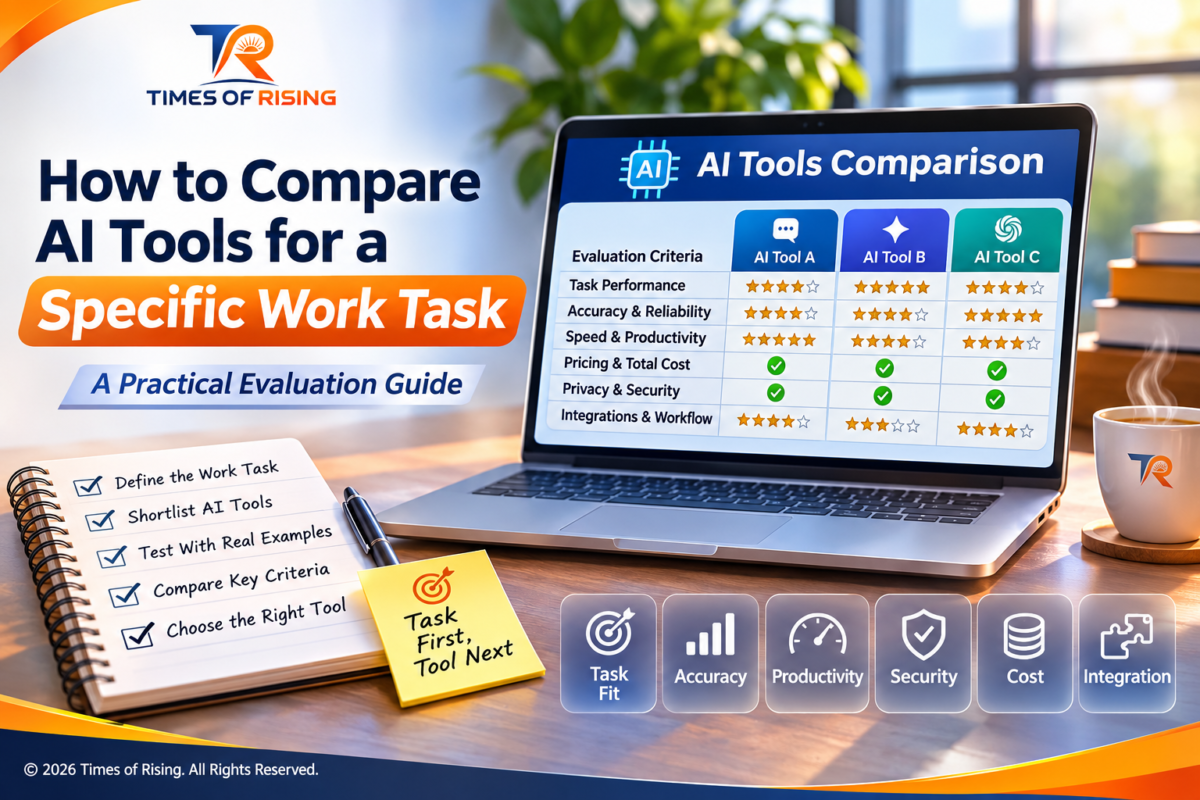
Choosing an AI tool has become surprisingly difficult. New AI assistants, writing applications, research platforms and automation services appear regularly, each promising to make work faster, easier and more productive.
All AI tools are not best for you, even if they are intelligent enough because some tools are excellent at writing but struggle with structured data. Others can analyse lengthy documents but may not fit an existing workflow. A tool that performs impressively in a demonstration might produce inconsistent results when given the everyday tasks you actually need to complete. So it becomes necessary that you know which will be the best one for you?
This creates an important question: How do you compare AI tools and identify the one that performs best for a specific job?
The answer is not to find the most popular AI application, choose the platform with the longest feature list or rely entirely on online rankings. Instead, you need a practical evaluation process that measures how well each tool performs against your requirements.
For example, if you need AI assistance with researching articles, you should evaluate research accuracy, source quality, information coverage and the time required to verify findings. If your objective is to automate customer support, you should pay more attention to response accuracy, consistency, escalation capabilities and integration with your existing systems.
The evaluation criteria should change according to the work.
This guide explains how to compare AI tools systematically, create a fair testing process, measure actual performance, understand hidden costs and make a decision based on evidence rather than marketing claims.
1. Start by Defining the Exact Work Task
Before comparing AI applications, clearly identify the task you want to improve.
This sounds obvious, but it is one of the most important steps. Many people begin by searching for the best AI tools for productivity, writing, marketing or business management without identifying the particular problem they want to solve.
These categories are too broad to produce a meaningful comparison.
Consider the difference between the following requirements:
- Improve content creation.
- Generate SEO-friendly article outlines using a target keyword, audience information and reliable research sources.
The first describes a general objective. The second identifies a specific task with inputs and an expected output.
The more clearly you define the task, the easier it becomes to determine whether an AI application is genuinely useful.
Identify the inputs and expected outputs
Start by documenting what the task involves.
Inputs are the information you provide to the AI tool. They might include documents, spreadsheets, instructions, customer questions, images, existing content or reference links.
Outputs are the results you expect from the tool. These might be a summary, a report, a spreadsheet formula, an email draft, a classification or a structured list.
For example, suppose you want to use AI to summarise business meeting notes.
Your task definition could look like this:
| Element | Requirement |
|---|---|
| Task | Summarise meeting notes |
| Input | Meeting transcript or written notes |
| Expected output | Structured meeting summary |
| Required information | Decisions, responsibilities and deadlines |
| Output format | Headings and action-item table |
| Main concern | Missing or incorrectly assigned information |
| Human involvement | Review before sharing |
This description gives you a clear standard against which different AI tools can be evaluated.
Define what successful completion means
Do not assume that a well-written response represents successful task completion because it isn’t.
A meeting summary might sound professional but omit an important decision. An AI-generated spreadsheet formula might look correct but produce an incorrect result. A research assistant might provide several references that do not actually support its claims.
Define the minimum acceptable outcome before testing any application.
Ask yourself:
- What information must the result contain?
- Which errors would make the result unacceptable?
- Does the output need to follow a particular format?
- How much human editing is acceptable?
- How quickly should the task be completed?
- Can the result be used directly, or must someone approve it?
You should also distinguish between essential requirements and optional improvements.
For instance, an AI tool that produces a slightly more attractive report may be preferable only if it also meets your accuracy and completeness requirements.
Practical takeaway: Do not begin by asking which AI tool is best. First determine what the tool must accomplish and how you will recognise a successful result.
2. Identify the Type of AI Tool You Actually Need
Not every AI application is designed to perform the same kind of work.
Some platforms are general-purpose assistants, while others specialise in particular activities. Choosing the wrong category can lead to disappointing results, even if the application itself is technically capable.
Understanding the available categories helps you narrow down your options.
General-purpose AI assistants
These applications can support several activities, including writing, brainstorming, explanations, summarisation, planning and basic data analysis.
Examples include ChatGPT, Google Gemini and Claude.
They are useful when your requirements involve different types of tasks or when you need an adaptable conversational assistant.
However, general-purpose capability does not automatically mean that an application will be the most suitable choice for a specialised workflow.
AI writing and editing tools
These tools focus on producing, rewriting, editing and improving written content.
They may offer features such as:
- Grammar and spelling assistance.
- Tone adjustment.
- Content rewriting.
- Headline suggestions.
- Document structuring.
- Writing consistency checks.
If your main objective is editing existing documents, compare the quality of corrections, preservation of meaning, style controls and compatibility with your preferred writing environment.
AI research tools
Research-focused applications help users investigate topics, organise information and locate relevant sources.
Their value depends on more than how much information they produce.
You should evaluate whether they identify original sources, distinguish established facts from interpretations, provide accessible references and accurately represent the information they retrieve.
A long report with weak references is not necessarily better than a shorter report supported by reliable evidence.
AI tools for data analysis
These applications can assist with interpreting datasets, identifying patterns, explaining formulas and generating visual summaries.
When evaluating them, focus on numerical correctness, reproducibility, file compatibility and the ability to explain how a result was obtained.
For important calculations, independently verify the underlying formula or result.
AI automation and workflow tools
Automation platforms connect applications and help perform repetitive processes.
For example, an automation workflow might collect information from a form, organise it in a spreadsheet and notify a team member.
Here, the evaluation should include reliability, integration compatibility, permission controls, error handling and the ability to intervene when something goes wrong.
AI tools for coding and technical work
Coding assistants can help explain code, suggest improvements, generate functions and identify potential errors.
Their usefulness depends on whether the generated code works in the intended environment, handles relevant edge cases and can be maintained by the people responsible for the project.
A convincing code explanation is not proof that the code is correct.
How to shortlist the right category
Use the following approach:
| Your main requirement | Tool category to investigate |
|---|---|
| Drafting and improving documents | AI writing assistants |
| Finding and organising research | AI research assistants |
| Analysing spreadsheets | AI data analysis tools |
| Managing repetitive processes | AI automation tools |
| Developing or reviewing software | AI coding assistants |
| Handling different everyday tasks | General-purpose AI assistants |
Some applications overlap several categories. That is perfectly normal.
The purpose of this classification is not to restrict your choices. It is to avoid comparing applications that solve fundamentally different problems.
3. Create a Shortlist of AI Tools
Once you understand the task and the type of application required, create a shortlist.
Avoid testing every available AI platform. Doing so can consume considerable time without improving the quality of your final decision.
Start with approximately three to five candidates, depending on the complexity of the task.
Your shortlist should include applications that appear capable of meeting your essential requirements.
Where should you find potential candidates?
You can identify suitable applications through:
- Official product websites and documentation.
- Independent software reviews.
- Professional recommendations.
- Relevant industry discussions.
- Published benchmark evaluations.
- Demonstrations and free trials, where available.
Give greater importance to evidence that relates directly to your task.
For example, if you need an application to extract information from PDF documents, a general AI leaderboard may be less useful than an evaluation involving document extraction accuracy.
Compare advertised capabilities with actual requirements
Create a preliminary screening table.
| Requirement | Tool A | Tool B | Tool C |
|---|---|---|---|
| Supports required input format | Check | Check | Check |
| Produces required output | Check | Check | Check |
| Supports necessary languages | Check | Check | Check |
| Fits existing workflow | Check | Check | Check |
| Meets privacy requirements | Verify | Verify | Verify |
| Fits available budget | Verify | Verify | Verify |
Do not mark a feature as available simply because a company mentions AI-powered capabilities in its marketing material.
Check whether the feature is included in the plan you intend to use, whether it has usage restrictions and whether additional integrations or subscriptions are required.
Do not confuse a model with an application
This distinction is particularly important.
An AI model is the underlying technology that generates or processes information. An AI application is the product through which users access that technology.
Two applications may use similar underlying models but deliver different experiences because of their interfaces, instructions, integrations, retrieval systems, available tools and additional features.
Likewise, one application may offer access to several models.
Therefore, compare the complete solution you will actually use, not just the model name displayed on a product page.
4. Prepare a Fair Testing Process
This is where the real comparison begins.
A fair evaluation requires you to test every shortlisted application under reasonably consistent conditions.
If you provide one application with detailed instructions and another with a vague request, the results will not provide a meaningful comparison.
The same applies when one tool receives a clean document while another receives incomplete or poorly formatted information.
Build a representative test dataset
A test dataset is simply a collection of examples that represent the work you expect the AI tool to perform.
It does not have to be complicated.
For a writing task, your test set might contain:
- A short article brief.
- A long article brief.
- A document requiring substantial rewriting.
- An example containing technical terminology.
- A request with several formatting requirements.
For document summarisation, you might include:
- A short document.
- A lengthy document.
- A document containing tables.
- A document with conflicting information.
- A document containing information that must not be omitted.
The examples should reflect actual working conditions rather than unusually easy demonstrations.
Include normal cases and difficult cases
Testing only straightforward examples can produce misleading results.
A useful evaluation should include different levels of difficulty.
Normal cases: These represent routine work that the application is expected to handle regularly.
Complex cases: These contain additional requirements, lengthy inputs or multiple steps.
Edge cases: These involve unusual formatting, missing information, ambiguous instructions or other conditions that might expose weaknesses.
Repeat tests: These help establish whether the application produces reasonably consistent results.
You should also include cases where the correct response is to acknowledge uncertainty rather than invent missing information.
Use the same instructions for every application
Prepare a standard prompt and reuse it across the shortlisted tools.
For example, if you are comparing AI tools for meeting summarisation:
“Summarise the supplied meeting notes. Identify the main discussion points, decisions made, assigned responsibilities and deadlines. Do not invent missing information. If a responsibility or deadline is unclear, mark it as requiring confirmation. Present the output using clear headings and a structured action-item table.”
Give each application the same source material and equivalent instructions.
Record any differences in model selection, settings, connected tools or additional features.
If a particular application requires a different configuration to perform the task, document that difference rather than hiding it.
Repeat important tests
AI-generated responses can vary between attempts.
A single successful response does not establish that a tool will perform consistently.
For tasks where reliability matters, repeat selected tests several times.
You do not necessarily need to repeat every example dozens of times. The appropriate number depends on the importance of the task, the variability of the outputs and the resources available.
The objective is to identify whether performance is dependable enough for the intended use.
5. Compare Output Quality Using Task-Specific Criteria
After testing the applications, evaluate the results.
This is the most important part of the process because the quality of the final output determines whether an AI tool actually helps you complete the work.
However, quality means different things for different tasks.
Accuracy and correctness
Does the application provide correct information or produce the right result?
For research, check whether factual claims are supported by reliable sources.
For data analysis, compare the calculations against independently verified results.
For writing, examine factual accuracy, preservation of meaning and adherence to the supplied brief.
Completeness
Does the output include everything required?
An AI assistant might produce an excellent summary but omit two important action items.
Another might generate a detailed report while overlooking a requirement specified in the original instructions.
Check the output against your predefined acceptance criteria.
Consistency
Does the tool maintain an acceptable level of quality across different examples?
A system that performs well on one simple request but struggles with slightly different inputs may be unsuitable for repetitive work.
Look at the results across your entire test set rather than selecting the most impressive response.
Relevance
Does the application stay focused on the actual task?
Some AI systems produce unnecessarily long responses, introduce unrelated information or make assumptions that were never requested.
These behaviours can increase editing time and reduce practical usefulness.
Instruction following
Can the application follow specific requirements?
For example:
- Does it respect word limits?
- Does it maintain the requested tone?
- Does it follow a particular output structure?
- Does it avoid adding unsupported information?
- Does it preserve important details from the source?
Instruction following can be particularly important when the output must fit an established business process.
Ease of verification
Can you check the result without spending excessive time?
For research applications, this may involve opening source links and checking the original documents.
For data analysis, it may involve inspecting formulas and intermediate calculations.
For writing applications, it may involve comparing the edited version with the original.
A tool that produces slightly better results but makes verification significantly more difficult may not be the most efficient option.
A practical quality assessment
Use the following table to record your observations.
| Evaluation criterion | What to examine |
|---|---|
| Accuracy | Are the results correct? |
| Completeness | Are all requirements addressed? |
| Consistency | Does quality remain stable? |
| Relevance | Does the output stay focused? |
| Instruction following | Does it respect the brief? |
| Verifiability | Can errors be identified and corrected? |
Do not treat all six criteria as equally important.
For a research task, accuracy and source quality may deserve the greatest attention. For a routine formatting task, instruction following and consistency may matter more.
The evaluation should reflect the consequences of failure.
6. Evaluate Speed and Overall Productivity
AI tools are frequently promoted as productivity solutions.
However, generating an answer quickly does not necessarily mean completing the task quickly.
A tool may produce an initial draft in 30 seconds but require another 15 minutes of corrections. A competing application might take two minutes to generate a more accurate result that needs only minor editing.
Which one is more productive?
The answer becomes clearer when you measure the complete workflow.
Measure total task completion time
Record the time required for:
- Preparing the input.
- Writing and refining instructions.
- Waiting for the result.
- Reviewing the output.
- Correcting errors.
- Formatting or transferring the result.
- Obtaining final approval, where necessary.
This provides a more realistic understanding of productivity than measuring response speed alone.
Calculate the time saved
Consider a hypothetical example involving the preparation of a weekly report.
| Activity | Without AI | With Tool A | With Tool B |
|---|---|---|---|
| Preparing information | 20 min | 20 min | 20 min |
| Drafting report | 60 min | 15 min | 25 min |
| Reviewing and correcting | 15 min | 30 min | 15 min |
| Final formatting | 10 min | 10 min | 10 min |
| Total time | 105 min | 75 min | 70 min |
In this example, Tool A generates the draft faster, but its correction requirements reduce the overall benefit.
Tool B takes longer to draft the report but finishes the complete task in less time.
The figures are illustrative, not results from a product test.
The important lesson is to compare the entire task rather than one stage of it.
Calculate productivity improvement
You can use this simple formula:
Time saved = Original completion time − AI-assisted completion time
You can also calculate the percentage of time saved:
Time saved (%) = (Time saved ÷ Original completion time) × 100
For example, if a task originally takes 100 minutes and an AI-assisted workflow takes 70 minutes:
- Time saved: 30 minutes.
- Percentage saved: 30%.
For recurring tasks, the difference can become more meaningful over time.
However, time savings should never be considered separately from accuracy, quality and the amount of human oversight required.
7. Examine Privacy, Security and Data Handling
An AI application may perform exceptionally well but still be unsuitable for your work if its data-handling practices do not meet your requirements.
This is particularly important when working with customer records, internal documents, confidential business information or personal data.
Never assume that all AI services handle submitted information in the same way.
Understand how your information is handled
Before selecting an application, examine its privacy documentation and relevant contractual terms.
Look for answers to these questions:
- Are submitted prompts and uploaded files used to improve AI models?
- How long is information retained?
- Can authorised personnel or service providers access the data?
- Can you delete submitted information?
- Is data encrypted during transmission and storage?
- Does the application offer appropriate access controls?
- Are there different protections for individual and business accounts?
- Does the service disclose relevant third-party subprocessors?
The answers may differ according to the provider, product, subscription and configuration.
For example, OpenAI states that data submitted through its business offerings, including ChatGPT Business, ChatGPT Enterprise and its API, is not used to train models by default. Its consumer services have separate data-use settings and policies.
You can review the applicable information in OpenAI’s Data Usage for Consumer Services FAQ and Business Data Privacy documentation.
The point is not that one provider’s policy automatically makes it the best choice. You should investigate the exact service and account configuration you intend to use.
Check permission and access requirements
Some AI applications request access to cloud storage, email, calendars, documents or other connected services.
Before granting permissions, understand what information the application can access and what actions it can perform.
A tool that only needs permission to read a specific document should not automatically receive broader access to unrelated business information.
Consider data sensitivity
Classify the information involved in your task.
For example:
| Information type | Evaluation consideration |
|---|---|
| Public information | Generally lower confidentiality requirements |
| Internal working documents | Check organisational policies |
| Customer information | Review privacy and access requirements |
| Financial records | Apply appropriate security controls |
| Confidential business information | Use only approved services and configurations |
| Sensitive personal information | Avoid unnecessary disclosure and follow applicable requirements |
If you are evaluating AI tools for an organisation, consult its IT, security or data-protection requirements before conducting tests with real information.
Use synthetic or appropriately anonymised examples when possible.
Important: A strong performance score should never compensate for an unresolved privacy or security concern.
8. Compare Pricing and Calculate the Real Cost
The cheapest AI subscription is not necessarily the most economical solution.
Likewise, an expensive application is not automatically more capable or valuable.
You need to understand how much the complete workflow will cost.
Look beyond the subscription price
Different AI products use different pricing structures.
Some offer free access with usage limits. Others charge monthly or annually. API-based services may charge according to the amount of information processed, the selected model and additional features.
Additional expenses may include:
- Higher subscription tiers.
- Additional usage or credits.
- API consumption.
- Premium integrations.
- Storage.
- Team accounts.
- Training and implementation.
- Human review and correction.
Always check the current official pricing page because prices, plan limits and included features can change.
For example, Google’s Gemini API pricing documentation explains how charges can vary according to model, token usage and additional services.
This is particularly relevant when evaluating tools for high-volume or automated workflows.
Calculate total cost per completed task
A practical comparison should include the cost of human involvement.
Use this formula:
Total task cost = AI usage cost + Human labour cost + Other operating costs
For example, consider two hypothetical tools used to process 100 documents.
| Cost component | Tool A | Tool B |
|---|---|---|
| AI usage | ₹500 | ₹1,000 |
| Human review | ₹1,500 | ₹700 |
| Other costs | ₹200 | ₹200 |
| Total | ₹2,200 | ₹1,900 |
| Cost per document | ₹22 | ₹19 |
Although Tool B has higher AI usage charges, its lower review requirements make it less expensive overall.
These figures are illustrative and do not represent actual product prices.
Compare the cost with the value received
Consider whether the application:
- Reduces repetitive work.
- Improves output quality.
- Reduces avoidable errors.
- Helps complete work faster.
- Makes previously difficult tasks manageable.
- Reduces the need for additional software.
Do not justify a subscription simply because it offers many features.
A feature has value only when it contributes to a real requirement.
9. Check Workflow Compatibility and Integration
An AI application may perform well independently but create additional work when introduced into an existing process.
For this reason, compatibility should be part of your evaluation.
Check supported file formats
Determine whether the application supports the documents and formats you regularly use.
Depending on your task, this might include:
- PDF documents.
- Word documents.
- Excel spreadsheets.
- CSV files.
- Images.
- Audio recordings.
- Text documents.
Also check whether file-size restrictions, processing limits or formatting changes affect the results.
Examine existing software integrations
Consider the platforms you already use.
For example, a business might rely on Microsoft 365, Google Workspace, a customer relationship management system or a project management application.
An AI tool that works naturally with the existing environment may be more practical than one requiring several manual transfers.
Evaluate the complete workflow
Do not focus exclusively on the AI response.
Ask whether the tool can:
- Receive the necessary input.
- Process the information correctly.
- Produce the required output.
- Transfer the result into the next application.
- Maintain the expected formatting.
- Handle errors appropriately.
If the task involves automation, also check whether a person can review or approve important actions.
Consider switching costs
You should also investigate how easily you can export your information and move to another service.
Important questions include:
- Can you download your files and results?
- Are your saved instructions portable?
- Can you transfer important project information?
- Are integrations dependent on a particular subscription?
- What happens to stored information when an account is closed?
Avoid becoming unnecessarily dependent on a platform simply because moving away from it would be difficult.
10. Evaluate Reliability, Limitations and Failure Handling
An AI tool should not be judged only by its best performance.
You also need to understand how it behaves when something goes wrong.
No AI application should be assumed to deliver perfect results in every situation.
Identify common failure patterns
During testing, record problems such as:
- Incorrect factual information.
- Missing details.
- Fabricated references.
- Misinterpreted instructions.
- Inconsistent formatting.
- Incorrect calculations.
- Failure to process certain documents.
- Unnecessary assumptions.
Categorise these errors according to their severity.
A minor formatting issue is different from an incorrect financial calculation or an invented research reference.
Check how the application handles uncertainty
A reliable workflow should not encourage the AI to guess when important information is missing.
Test what happens when you provide incomplete or ambiguous instructions.
Does the application ask for clarification? Does it acknowledge that the information is unavailable? Does it clearly identify assumptions?
This behaviour is especially important when accuracy matters.
Understand service reliability
Check whether the provider publishes information about service availability, usage limits, rate limits and system status.
For applications used in important business processes, consider what happens during an outage or when the service becomes unavailable.
You may need:
- A manual alternative.
- A backup workflow.
- A human approval process.
- An escalation procedure.
- A way to recover incomplete work.
A tool that performs well under normal conditions but has no practical failure-handling process may introduce unnecessary operational risk.
11. Understand AI Benchmarks and Why They Are Not Enough
AI leaderboards and benchmark scores can help identify promising applications.
However, they should not replace your own task-specific evaluation.
Benchmarks measure performance against particular datasets, questions, configurations and evaluation methods.
They do not automatically predict how an AI system will perform in your exact working environment.
For example, a model might achieve an impressive score on a general reasoning benchmark but still struggle with a specialised document format or a particular business workflow.
What do AI benchmarks actually measure?
Depending on the evaluation, benchmarks may assess:
- Language understanding.
- Mathematical reasoning.
- Coding capabilities.
- Knowledge retrieval.
- Instruction following.
- Problem-solving.
- Multimodal performance.
Different benchmarks measure different capabilities.
Therefore, you should first understand what a benchmark tests before using its results to compare candidates.
Why benchmark rankings can be misleading
There are several reasons.
Different testing conditions: Models may be evaluated using different prompts, configurations or access to additional tools.
Different evaluation methods: Some benchmarks rely on automated scoring, while others use human evaluation or a combination.
Limited relevance: A benchmark may measure a capability that has little importance for your actual task.
Changing systems: Models and applications are updated regularly, so an older result may not reflect current performance.
NIST’s February 2026 report, Expanding the AI Evaluation Toolbox with Statistical Models (NIST AI 800-3), discusses limitations in interpreting benchmark results and explains why improvements on a particular benchmark do not necessarily translate into improvements on related tasks.
You can read the NIST AI 800-3 report.
Another useful reference is NIST’s AI Risk Management Framework Resource Center, which provides resources for testing, evaluating, verifying and validating AI systems.
Use benchmarks as a starting point
A sensible approach is:
- Identify benchmarks relevant to your task.
- Review how the results were produced.
- Shortlist potentially suitable applications.
- Test them using your own examples.
- Compare the results against your acceptance criteria.
A benchmark can help you decide which applications deserve attention. Your actual workflow should determine the final decision.
12. Create a Weighted AI Tool Comparison Scorecard
Once you have completed the tests, organise your findings into a structured comparison.
A scorecard helps prevent decisions based entirely on personal impressions.
However, remember that different tasks require different evaluation priorities. The following framework is an illustrative starting point, not an official industry standard.
Suggested evaluation criteria
| Criterion | Suggested weight |
|---|---|
| Task performance and output quality | 30% |
| Accuracy and reliability | 20% |
| Privacy and security | 15% |
| Workflow compatibility | 10% |
| Total cost | 10% |
| Speed and productivity | 10% |
| Ease of use | 5% |
| Total | 100% |
These weights can be adjusted.
For example, a research-intensive workflow might place greater emphasis on source verification, while an automation workflow might prioritise reliability, permissions and integration.
Use a consistent scoring scale
Give each tool a score from 1 to 5.
| Score | Meaning |
|---|---|
| 1 | Very poor |
| 2 | Below requirements |
| 3 | Acceptable |
| 4 | Good |
| 5 | Excellent |
Base the score on your recorded evidence rather than your general impression of the product.
Calculate the weighted score
Use the following formula:
Weighted score = (Individual rating ÷ 5) × Criterion weight
Add the weighted scores to calculate the final result.
Consider this hypothetical example:
| Criterion | Weight | Tool A | Tool B |
|---|---|---|---|
| Task performance | 30% | 4 | 5 |
| Accuracy and reliability | 20% | 4 | 4 |
| Privacy and security | 15% | 4 | 4 |
| Workflow compatibility | 10% | 5 | 3 |
| Total cost | 10% | 5 | 3 |
| Speed and productivity | 10% | 4 | 4 |
| Ease of use | 5% | 5 | 4 |
| Weighted result | 100% | 86 | 83 |
In this example, Tool A receives 86 points, while Tool B receives 83 points.
Tool A has a slightly higher overall score, but Tool B performs better in task performance.
If task quality is the most important requirement, the difference deserves further consideration.
Do not let an overall score hide a serious problem
A weighted score is a decision-support method, not a substitute for judgement.
Suppose an application performs exceptionally well but fails your minimum privacy requirements.
Its high score should not make it acceptable.
Establish mandatory pass/fail conditions before calculating the final ranking.
Examples include:
- Minimum accuracy requirements.
- Approved data-handling practices.
- Essential file compatibility.
- Required access controls.
- Acceptable failure severity.
Any application that fails a mandatory condition should be excluded or restricted to a suitable lower-risk use case.
13. Conduct a Small Pilot Before Making a Final Decision
A successful initial test does not always mean that an application is ready for regular use.
Before committing to a subscription, introducing an AI tool into a business process or replacing an existing application, conduct a limited pilot.
A pilot is a controlled trial involving a small amount of real or appropriately simulated work.
What should the pilot include?
Select a manageable number of representative tasks.
Observe:
- Actual completion time.
- Output quality.
- Frequency and severity of errors.
- Human correction requirements.
- User experience.
- Integration problems.
- Actual usage costs.
Where appropriate, compare the AI-assisted process with your existing method.
This helps determine whether the application provides a meaningful improvement rather than simply changing how the work is performed.
Collect feedback from the people doing the work
An AI tool may appear useful to someone evaluating it in isolation but prove inconvenient for the people who must use it regularly.
Ask users whether:
- The application is easy to understand.
- Instructions need frequent rewriting.
- Results require excessive editing.
- Important features are difficult to access.
- The application creates additional steps.
- They can identify and correct mistakes.
User feedback should complement objective performance measurements, not replace them.
Set a clear approval threshold
Before the pilot begins, decide what the application must achieve to qualify for wider use.
For example:
- Meet the required accuracy standard.
- Reduce total completion time.
- Remain within the approved budget.
- Satisfy privacy and security requirements.
- Produce results that can be reviewed efficiently.
If the application does not meet these requirements, consider adjusting the workflow or testing another candidate.
14. Common Mistakes to Avoid When Comparing AI Tools
Even a well-intentioned comparison can produce poor decisions when the testing process is flawed.
Here are some common mistakes worth avoiding.
Choosing the most popular application
Popularity indicates that a product has attracted users. It does not establish that the application is the best choice for your particular requirements.
Choose based on task performance and practical suitability.
Relying on one impressive demonstration
A carefully prepared demonstration may show an application under favourable conditions.
Test multiple representative examples before drawing conclusions.
Comparing tools using different prompts
Different instructions can produce different results.
Use equivalent instructions and input material wherever possible.
Ignoring human review time
An AI application that generates an answer quickly may still create substantial editing work.
Measure the time required to complete the entire task.
Focusing only on subscription costs
Usage charges, integrations, training and human supervision can affect the total cost.
Compare the complete workflow rather than the advertised monthly price.
Ignoring privacy policies
A convenient application may not be suitable for confidential information.
Investigate data handling and access controls before uploading sensitive material.
Assuming benchmark scores guarantee practical performance
A benchmark measures a particular evaluation setup.
Always validate performance against your own task requirements.
Treating AI-generated information as automatically correct
Fluent language and confident explanations do not establish accuracy.
Check important information against original documents, reliable sources and independently verified results.
Selecting a tool without considering future changes
AI applications can change their models, features, pricing and usage limits.
Keep a record of your evaluation and periodically review whether the tool still meets your requirements.
15. A Practical AI Tool Evaluation Worksheet
You can use the following worksheet whenever you need to compare AI applications for a new task.
The purpose is to make your evaluation repeatable, transparent and easier to review.
Part A: Define the task
| Question | Your answer |
|---|---|
| What task do you want to improve? | |
| Who will use the AI tool? | |
| What information will you provide? | |
| What output do you expect? | |
| Which requirements are essential? | |
| What errors would be unacceptable? | |
| How much human review is acceptable? |
Part B: Record the shortlisted applications
| Detail | Tool A | Tool B | Tool C |
|---|---|---|---|
| Product name | |||
| Official website | |||
| Relevant plan | |||
| Required features available | |||
| Supported input formats | |||
| Integration compatibility | |||
| Pricing checked | |||
| Privacy requirements verified |
Part C: Record test results
| Test | Tool A | Tool B | Tool C |
|---|---|---|---|
| Normal task | |||
| Complex task | |||
| Edge case | |||
| Output accuracy | |||
| Completeness | |||
| Consistency | |||
| Review time | |||
| Total completion time |
Part D: Record the final decision
Before selecting a tool, answer these questions:
- Does it meet every mandatory requirement?
- Does it produce acceptable results across representative tests?
- Is its performance consistent enough for regular use?
- Is the total cost justified?
- Are the privacy and security arrangements appropriate?
- Does it fit the existing workflow?
- Can users verify and correct its output?
- Is there a practical alternative if the service becomes unavailable?
Final selection: ____________________
Reason for selection: ____________________
Known limitations: ____________________
Approved use: ____________________
Review date: ____________________
Keep the worksheet and test examples. They will make future comparisons easier, especially when an existing AI service changes its features or pricing.
Frequently Asked Questions
1. What is the best way to compare AI tools?
The best approach is to identify one specific task, define measurable success criteria, shortlist suitable applications and test them using the same representative examples.
Compare output quality, accuracy, consistency, speed, total cost, privacy and workflow compatibility. Select the tool that meets your essential requirements rather than relying on popularity or general rankings.
2. Should I compare AI tools using the same prompts?
Yes. Using equivalent prompts and source material helps create a fair comparison.
However, you should also record any configuration differences and test whether reasonable prompt adjustments improve performance. Otherwise, you may accidentally compare one application’s default setup with another application’s carefully optimised workflow.
3. How many AI tools should I test?
For most straightforward tasks, three to five shortlisted applications provide a reasonable starting point.
The appropriate number depends on the importance and complexity of the task. Testing more applications is not necessarily better if the evaluation process becomes inconsistent or excessively time-consuming.
4. Are free AI tools suitable for professional work?
Some free tools may be sufficient for routine, low-risk activities.
However, check their usage limits, available features, data policies, commercial-use terms and support arrangements. A free subscription should not automatically be assumed to provide the same capabilities or protections as a paid business offering.
5. How can I compare AI tool accuracy?
Create a collection of representative examples with independently verified answers or clearly defined acceptance criteria.
Run the same tests across each application and record correct results, omissions, unsupported claims and other errors.
For subjective tasks, use a consistent review rubric and, where practical, independent reviewers.
6. Are AI leaderboards reliable for choosing a tool?
Leaderboards can provide useful information about performance on particular benchmarks.
However, their results may not reflect your actual task, input data, configuration or working environment. Use them to identify potential candidates, then conduct your own evaluation.
7. Should I choose one AI tool or several?
That depends on your requirements.
One general-purpose application may be sufficient for several everyday tasks. However, specialised activities may benefit from different applications.
Avoid maintaining multiple subscriptions without a clear reason. Every additional tool introduces costs, account management requirements and potential workflow complexity.
8. How often should I evaluate an AI tool again?
Review the application when its model, features, pricing, privacy terms or integration arrangements change significantly.
You should also reassess it when your workload changes or users identify recurring problems.
For important workflows, maintain a small set of representative test examples and use them for periodic checks.
Final Thoughts: Choose the AI Tool That Performs the Work, Not the One That Makes the Biggest Claims
Comparing AI tools is ultimately an exercise in understanding your own requirements.
An application that performs exceptionally well for one person may be unsuitable for another. The difference often comes down to the task, input quality, expected output, working environment and consequences of mistakes.
Start with a clearly defined task. Identify suitable applications, test them under consistent conditions and evaluate the complete workflow rather than isolated demonstrations.
Pay attention to accuracy, reliability, human review, privacy, integration and total cost. Use benchmarks and independent reviews to inform your shortlist, but allow your own test results to guide the final decision.
Most importantly, remember that adopting AI is not automatically an improvement. The purpose is to complete meaningful work more effectively while maintaining the quality and accountability the task requires.
At Times of Rising, we believe useful technology decisions should be based on practical evidence rather than promises. Follow Aaisha Parker for more accessible guidance on AI assistants, digital productivity and responsible technology use, and bookmark Times of Rising as a reference for making better-informed decisions about the tools that shape your work.

Aaisha Parker
Aaisha Parker covers practical applications of artificial intelligence and digital tools. Her articles explore AI assistants, productivity workflows, automation, software capabilities and responsible technology use. Her editorial approach emphasizes clear tutorials, current product documentation, practical limitations and privacy considerations so readers can make informed decisions about the tools they use.

Join the conversation
Share a thoughtful response, ask a question, or add something useful for other readers.
Be the first to add a helpful perspective.