
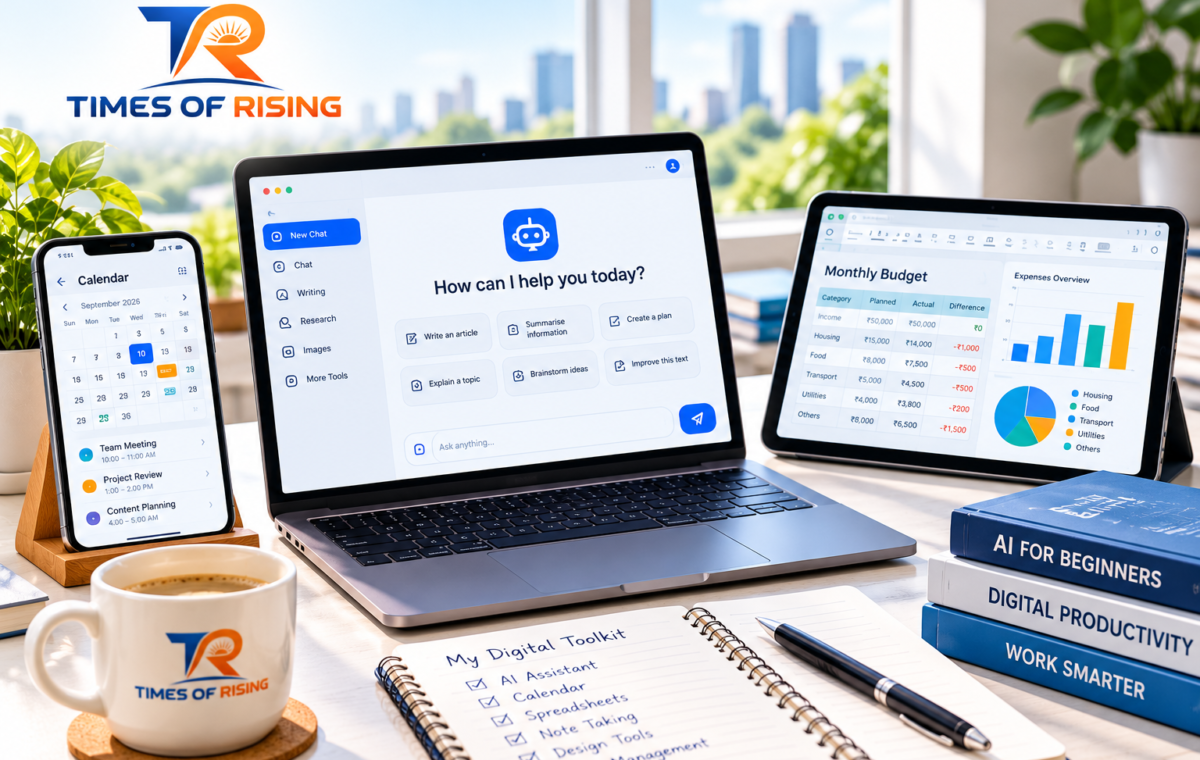
A Practical Beginner’s Guide to AI and Digital Tools: How to Work Smarter Without Getting Overwhelmed
You Don’t Need to Be a Tech Expert to Get Started
Technology is changing the way people learn, work, communicate and manage everyday responsibilities. From drafting emails and organising information to creating presentations and analysing data, digital tools can help people complete tasks more efficiently. Artificial intelligence (AI) has made many of these capabilities accessible through simple, conversational instructions.
However, getting started can feel confusing. New tools appear regularly, each promising to save time or improve productivity. Beginners may wonder which applications are genuinely useful, whether AI-generated information can be trusted, and how to avoid spending more time learning tools than completing actual work.
The solution is not to adopt every new technology. It is to understand a few practical tools, identify the problems they solve and develop the judgement needed to use them responsibly.
This guide explains how beginners can build a useful digital toolkit, work with AI more effectively and develop habits that remain valuable as technology evolves.
1. Understand What AI and Digital Tools Actually Do
Before choosing applications, it helps to understand the difference between artificial intelligence and digital tools.
Digital tools are applications or services that help people complete specific tasks. These include spreadsheets, calendars, word processors, design applications, cloud storage services and project management platforms.
Artificial intelligence refers to computer systems that perform tasks associated with capabilities such as recognising patterns, understanding language, generating content and making predictions. Generative AI is a category of AI that creates new material, including text, images and other media, in response to instructions.
Some digital tools include AI features, while others work perfectly well without them.
For example, a spreadsheet can calculate monthly expenses using ordinary formulas. An AI assistant might help explain those calculations, suggest a budget structure or identify questions worth investigating. The spreadsheet performs the calculations according to its formulas; the AI assistant contributes language-based assistance and suggestions.
Understanding this distinction helps you choose the right approach instead of assuming AI is always the best solution.
2. Start With a Problem, Not a Tool
One of the most common beginner mistakes is collecting applications without having a clear reason to use them.
A better starting point is to examine your everyday responsibilities. Which tasks take too long? Where do mistakes occur repeatedly? Which activities involve organising information, producing routine documents or managing deadlines?
Consider these examples:
-
A student wants to organise research notes and prepare revision questions.
-
A freelancer needs to draft client emails, track assignments and prepare invoices.
-
A small business owner wants to organise expenses, prepare product descriptions and respond to common customer questions.
-
A working professional needs to summarise meeting notes and manage a crowded calendar.
-
A content creator wants help brainstorming topics, structuring articles and preparing social media drafts.
Each person has different requirements. A calendar may be more valuable to someone who frequently misses deadlines, while a spreadsheet could be more useful to someone managing expenses.
A practical rule: Identify one repetitive task, choose one tool that can improve it and evaluate the result before adding anything else.
3. The Main Categories of Digital Tools Beginners Should Know
You do not need a complicated software collection to work effectively. A small number of well-chosen tools can cover many common needs.
AI assistants for writing, planning and research
Conversational AI assistants can help brainstorm ideas, explain unfamiliar concepts, structure documents, summarise supplied information and draft routine communications.
Examples include ChatGPT, Google Gemini and Microsoft Copilot. Their features, access limits, supported integrations and data policies differ, so check the relevant service information before using them for sensitive work.
A beginner might ask an assistant to turn a collection of meeting notes into a structured action list. The result should still be reviewed to ensure that decisions, names, responsibilities and deadlines are accurate.
AI is particularly useful when you need a first draft or a starting point. It should not be treated as an unquestionable source of truth.
Word processors and document tools
Word processors help create reports, letters, proposals, assignments and other written documents. Features such as headings, templates, spelling checks, comments and collaboration can make documents easier to maintain.
Google Docs and Microsoft Word are two familiar options. Choose one that works with your existing devices, collaborators and file formats rather than switching simply because another application is popular.
Spreadsheets for numbers and organisation
Spreadsheets are useful for budgets, expense tracking, content calendars, inventories, sales records and project tracking.
Google Sheets and Microsoft Excel support tables, formulas, filters and charts. Beginners can start by recording information consistently before learning more advanced functions.
For example, a small business could maintain columns for the product name, quantity, purchase cost, selling price and stock level. Formulas can then calculate totals and other values according to clearly defined rules.
AI can explain spreadsheet formulas or suggest ways to structure a table, but important financial calculations should be checked against the underlying data and formulas.
Cloud storage and file sharing
Cloud storage services make it possible to access files across supported devices and share documents with other people.
Google Drive, Microsoft OneDrive and Dropbox are examples. Their plans and sharing controls vary.
A simple folder structure can make files easier to manage. You might create separate folders for projects, finances, research and completed work. Use clear file names and review sharing permissions periodically.
Cloud storage is not automatically a complete backup strategy. For important files, maintain an appropriate additional backup and understand how deleted files and file versions are handled.
Design and visual content tools
Design applications help users create presentations, posters, diagrams, social media graphics and other visual materials.
Canva is one option for template-based design, while presentation tools such as PowerPoint and Google Slides help organise information into a sequence of visual explanations.
AI features may assist with design suggestions or initial content generation, depending on the application and plan. A useful design still needs accurate information, readable text, appropriate contrast and consistent formatting.
Task management and calendar tools
Task management applications help turn broad responsibilities into specific actions. Calendar tools help schedule appointments, deadlines and time-sensitive activities.
Google Calendar, Microsoft To Do, Trello and similar applications offer different approaches to planning and organisation.
A beginner can start with a short daily task list and a calendar containing genuine deadlines. More advanced boards, labels and automation should be added only when they solve an identified problem.
4. How to Write Better AI Prompts
The quality of an AI response often depends on how clearly you describe the task. A prompt is simply the instruction or question you give an AI system.
A vague request leaves important details open to interpretation. A more specific request communicates the purpose, context, constraints and desired format.
Consider the difference.
A vague prompt:
“Help me write an article about digital marketing.”
A more useful prompt:
“Act as a writing assistant for a beginner-friendly business publication. Create an outline for an article explaining digital marketing to small business owners who have limited technical knowledge. Include an introduction, five practical sections, realistic examples and a conclusion. Avoid unsupported statistics, unexplained jargon and promotional claims.”
The second prompt gives the assistant clearer expectations, making its response easier to evaluate.
A simple four-part prompting method
When you are unsure how to phrase an instruction, include these elements:
1. Role: Explain the perspective or type of assistance you need.
For example: “Act as a patient tutor helping a beginner understand spreadsheets.”
2. Task: State the action clearly.
For example: “Explain how to calculate a monthly expense total.”
3. Context: Describe the situation, audience and relevant limitations.
For example: “Assume the expenses are listed in cells B2 through B20 and the user has basic spreadsheet knowledge.”
4. Format: Specify how the answer should be organised.
For example: “Give the formula, explain each part and include one simple example.”
You do not need to include all four elements in every prompt. Simple requests can remain simple. More complex tasks benefit from clearer instructions.
Treat prompting as a conversation
Your first response does not need to be the final one. Follow-up instructions can narrow the scope, correct misunderstandings or improve the format.
For example:
-
“Explain that in simpler language.”
-
“Give me an example involving a small online shop.”
-
“Separate confirmed facts from assumptions.”
-
“Show the result as a table.”
-
“Identify which claims need independent verification.”
This iterative approach is more practical than trying to write a perfect instruction on the first attempt.
For further learning, Google’s Prompting Guide 101 explains the importance of clear instructions and iterative refinement.
5. Five Everyday Tasks You Can Improve With AI
AI becomes easier to understand when you apply it to familiar situations. The following examples demonstrate practical uses without requiring specialist knowledge.
Task 1: Drafting a professional email
Suppose you need to ask a client for an update on a delayed project.
You could ask an AI assistant to draft a polite, professional email requesting the expected delivery date. Provide the necessary context, specify the tone and explain what outcome you need.
Before sending the result, check the recipient, factual details, commitments and tone. Do not allow a generated draft to make promises on your behalf that you have not approved.
Task 2: Understanding an unfamiliar topic
Imagine that you encounter an unfamiliar technical term while working on a project.
Ask the assistant to explain the term in plain language, provide an everyday example and identify common misunderstandings. Then compare important factual claims with reliable references, especially when the information affects a decision.
This method can support learning without replacing the process of checking sources and developing your own understanding.
Task 3: Organising a project
A large project can feel difficult to manage when the next steps are unclear.
Describe the intended outcome, deadline, available resources and major constraints. Ask the AI assistant to suggest a sequence of tasks, dependencies and checkpoints.
Treat the result as a proposed plan. Review it for feasibility, missing tasks and deadlines that depend on other people.
Task 4: Improving a spreadsheet
You might have a spreadsheet containing several months of expenses but not know which formula to use.
Describe the column structure and the calculation you need, without sharing private account information. Ask for an appropriate formula and a step-by-step explanation.
Test the formula against a small example with a result you can calculate independently. This helps you understand the method instead of blindly copying it.
Task 5: Planning content or marketing activities
A freelancer or small business owner may need to turn a broad topic into several useful content ideas.
Ask the AI assistant to propose audience questions, possible article structures and practical examples. Then review the ideas for originality, relevance, evidence requirements and overlap with existing material.
AI-generated ideas are starting points, not proof that people are searching for a topic or that a proposed strategy will succeed. Validate important decisions using actual audience feedback, analytics and credible research.
6. Use AI for Assistance, Not Automatic Approval
AI systems can produce convincing answers that are incomplete, outdated or wrong. A fluent explanation can still contain an invented source, an incorrect date or a calculation error.
The risk is greater when users ask about current events, laws, financial decisions, health, technical specifications or other matters where accuracy has significant consequences.
Build a verification habit around three questions:
Is the claim accurate? Check important facts against authoritative sources, original documents or independent evidence.
Is the information current? Look for publication dates, updates and the date on which the relevant event actually occurred.
Does the conclusion follow from the evidence? Check whether the response makes assumptions, overlooks alternatives or presents uncertain information as certain.
AI can help locate questions that need investigation, but its own explanation is not independent verification.
For calculations, test the formulas or results. For research, open the cited sources and confirm that they support the claims. For professional decisions, use qualified judgement and relevant expertise.
7. Protect Your Privacy When Using Digital Tools
Digital convenience should not come at the expense of personal or business information.
Before submitting information to an AI assistant or uploading a document to an online service, consider whether the information needs to be shared at all.
Avoid entering passwords, authentication codes, payment details, private customer records, confidential business plans or sensitive personal information into tools that are not approved for that purpose.
When asking for help with a document, replace real names and identifying details with fictional examples where possible. For workplace information, follow your organisation’s approved software and data-handling policies.
You should also review:
-
Data-use policies: Understand how prompts, uploaded files and conversation history are handled.
-
Sharing permissions: Check whether a document is private, restricted to specific people or accessible through a wider link.
-
Account security: Use strong, unique passwords and multifactor authentication where available.
-
Access permissions: Give applications and collaborators only the access they need.
-
Retention settings: Understand what is saved, how long it is retained and which deletion or history controls are available.
Privacy practices differ across tools, accounts and subscription types. Never assume that all services handle information in the same way.
For example, Microsoft provides separate privacy information for its consumer Copilot experience and its work or school offerings. Consult the policy applicable to the particular product and account you use.
8. Be Careful With AI-Generated Content
AI can help produce written material, images, presentations and other creative assets. However, using a tool does not remove your responsibility for what you publish or share.
Before using AI-generated content, consider several practical issues.
Accuracy: Check names, dates, quotations, statistics and factual claims.
Originality: Review the material for generic wording, repetition and similarities to existing work. Do not assume that generated output is automatically original or free of third-party rights concerns.
Permissions: Check the tool’s terms and the relevant rights requirements before using generated images, audio or other assets commercially.
Disclosure: Follow applicable laws, platform rules, client requirements and editorial policies when disclosure of AI assistance is required or appropriate.
Human judgement: Make sure the final material genuinely serves its audience instead of merely sounding polished.
For publishers and content creators, AI can help organise research, improve readability and generate initial outlines. It should not replace meaningful reporting, source verification, expert review or the distinct perspective that makes an article worth reading.
The goal is to use automation to support better work, not to increase the quantity of material at the expense of its quality.
9. Avoid Common Beginner Mistakes
Building useful digital habits takes practice. Several common mistakes can make the process unnecessarily difficult.
Using too many tools at once
Constantly switching applications creates extra work and makes it harder to establish consistent habits. Start with a small toolkit and expand it only when a clear need arises.
Expecting perfect AI responses
AI output frequently needs clarification, correction and refinement. Provide better context, ask follow-up questions and check the result rather than repeatedly accepting the first answer.
Automating a process you do not understand
Automation can repeat mistakes quickly if the original workflow is flawed. First learn how the process should work manually, then automate suitable repetitive steps and test the results.
Ignoring costs and subscription limits
A tool’s advertised capabilities may depend on its plan, usage limits or paid features. Review the cost, cancellation terms, storage limits and export options before relying on a service for an important workflow.
Confusing activity with productivity
Trying new applications can feel productive without improving the result. Measure success by whether you complete tasks more accurately, save meaningful time, reduce avoidable errors or improve the experience for the people who use your work.
10. A Simple Seven-Day Plan to Get Started
You do not need to master every application in a week. Use the following plan to develop a foundation through small, practical exercises.
Day 1: Identify one problem. Choose a routine task that takes time or repeatedly causes confusion. Describe how you currently complete it and what a better result would look like.
Day 2: Choose one tool. Find a suitable AI assistant or digital application. Review its basic features, account requirements, costs and privacy information.
Day 3: Complete a small task. Use the tool for one real but low-risk activity, such as drafting a routine email, creating a task list or organising non-sensitive information.
Day 4: Practise giving clear instructions. Try different prompts or settings. Compare the results and note which details improve the output.
Day 5: Verify your work. Check facts, calculations, formatting and completeness. Correct any mistakes rather than treating the generated result as finished.
Day 6: Create a repeatable workflow. Write down the steps that worked. Save a useful prompt or create a template so you do not need to start from scratch each time.
Day 7: Review the outcome. Ask whether the tool saved time, improved quality or made the task easier. Decide whether to keep using it, change your approach or try another solution.
At the end of the week, you should have a clearer understanding of one useful tool and one practical workflow. That is a better foundation than having created accounts on ten applications without using them consistently.
11. Where to Learn More Without Getting Lost
Reliable learning resources can help you develop skills at a manageable pace.
-
Google AI Essentials: A beginner-oriented course covering practical AI use, prompting, productivity and responsible use.
-
Google’s Prompting Guide 101: Guidance on writing clearer instructions for AI assistants.
-
Microsoft Copilot privacy information: Information to help users understand privacy considerations for the relevant consumer Copilot experience.
-
Official product help centres: Useful for learning individual features, troubleshooting errors and checking current limitations.
Start with the resources that address your immediate needs. Learning one skill and applying it to a real task is generally more useful than collecting tutorials without practising.
Conclusion: Build Skills Before Building a Bigger Toolkit
AI and digital tools can make everyday work more manageable, but their value depends on how well they fit the task. Beginners do not need advanced technical knowledge to start benefiting from these technologies. They need a clear objective, a willingness to practise and the judgement to recognise when a result requires checking.
Begin with one recurring problem. Choose a suitable tool, learn its essential features, test it on a small task and review the outcome. Protect your data, verify important claims and retain responsibility for decisions and published work.
As your experience grows, you can connect tools into more sophisticated workflows and explore automation where it genuinely helps.
The most useful digital toolkit is not necessarily the largest or newest. It is the one that helps you work more confidently, make fewer avoidable mistakes and spend more time on work that matters.

Aaisha Parker
Aaisha Parker covers practical applications of artificial intelligence and digital tools. Her articles explore AI assistants, productivity workflows, automation, software capabilities and responsible technology use. Her editorial approach emphasizes clear tutorials, current product documentation, practical limitations and privacy considerations so readers can make informed decisions about the tools they use.